

Confirming a Fix
- Client User
- Client Admin
Confirming a Fix
When the support team ships a fix, they may ask the requester to test it. Your answer either resolves the ticket or sends it straight back to the team.
How you'll know
- The ticket moves to Pending Client and the SLA clock pauses.
- The support team's message appears in the thread, and the requester is notified.
- A Please check if this is fixed panel appears at the top of the ticket. Live on shows where the fix was deployed, for example Production.
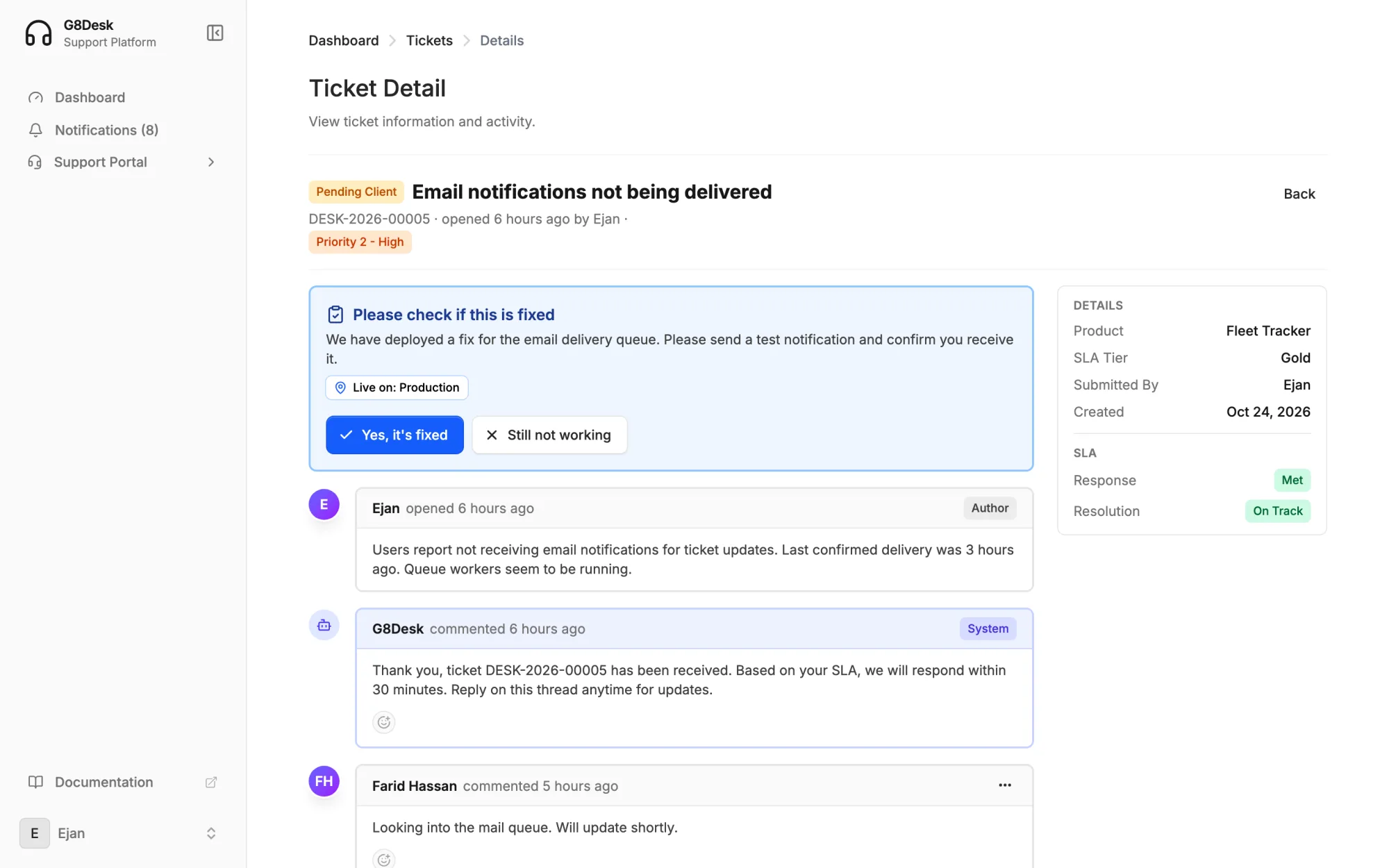
If it works
- Test the fix as described.
- Click Yes, it's fixed.
The ticket moves to Resolved.
If it still doesn't work
- Click Still not working.
- In What happened when you tried?, describe what you saw.
- Click Send to support.
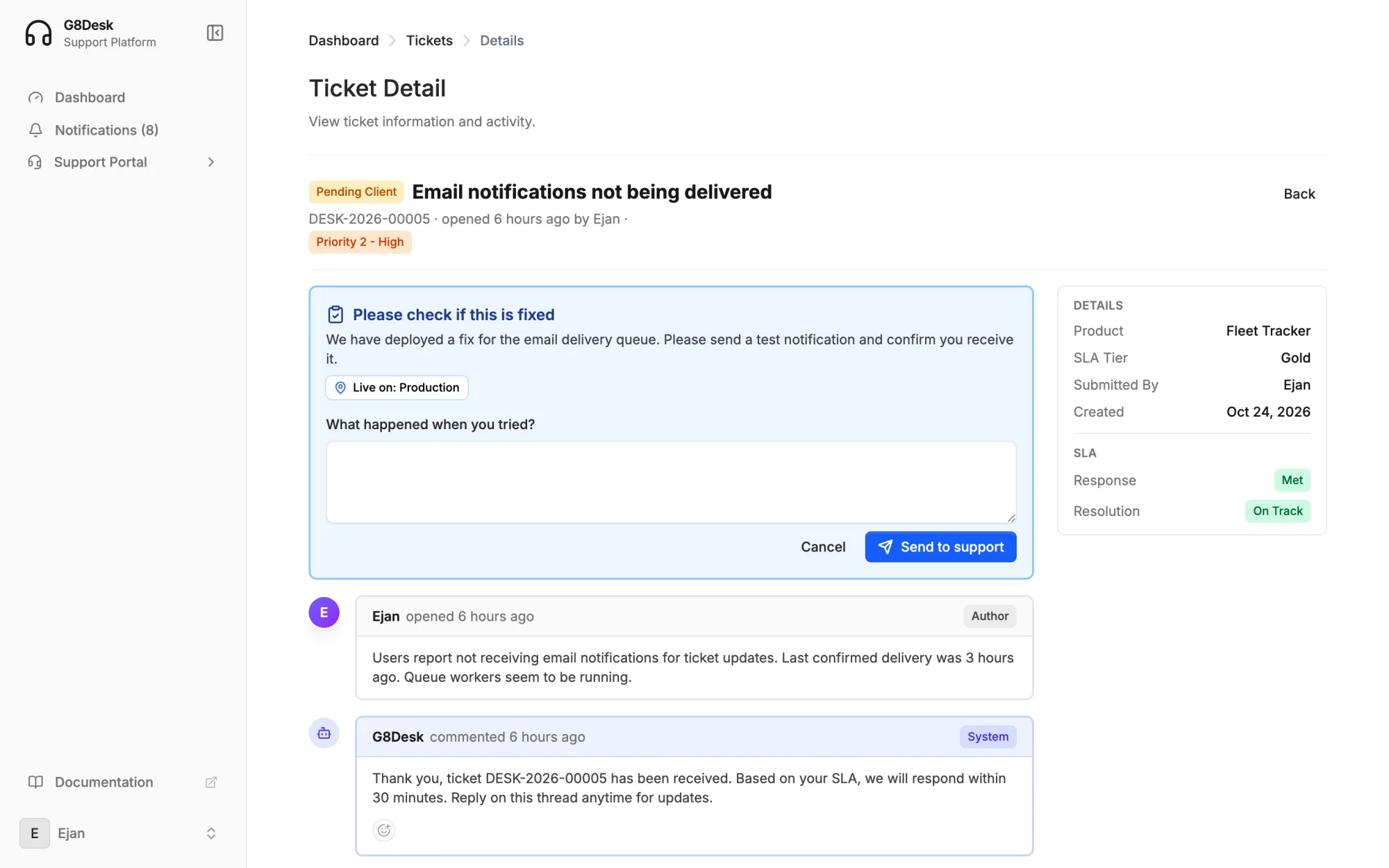
The ticket goes back to In Progress, the SLA clock restarts and your comment is sent to the team.
Note: Only the ticket's requester can answer. Other members of your organisation see Waiting for name to confirm. instead of the buttons.