

Using Labels
- Support Agent
- Ops Admin
Using Labels
Labels are coloured tags, such as Bug, Performance or Security, that add context beyond type and severity.
Applying labels
In the ticket sidebar, the Labels section lists every label your team has defined. Tick a label to apply it, untick to remove it. The change saves immediately and shows Labels updated.
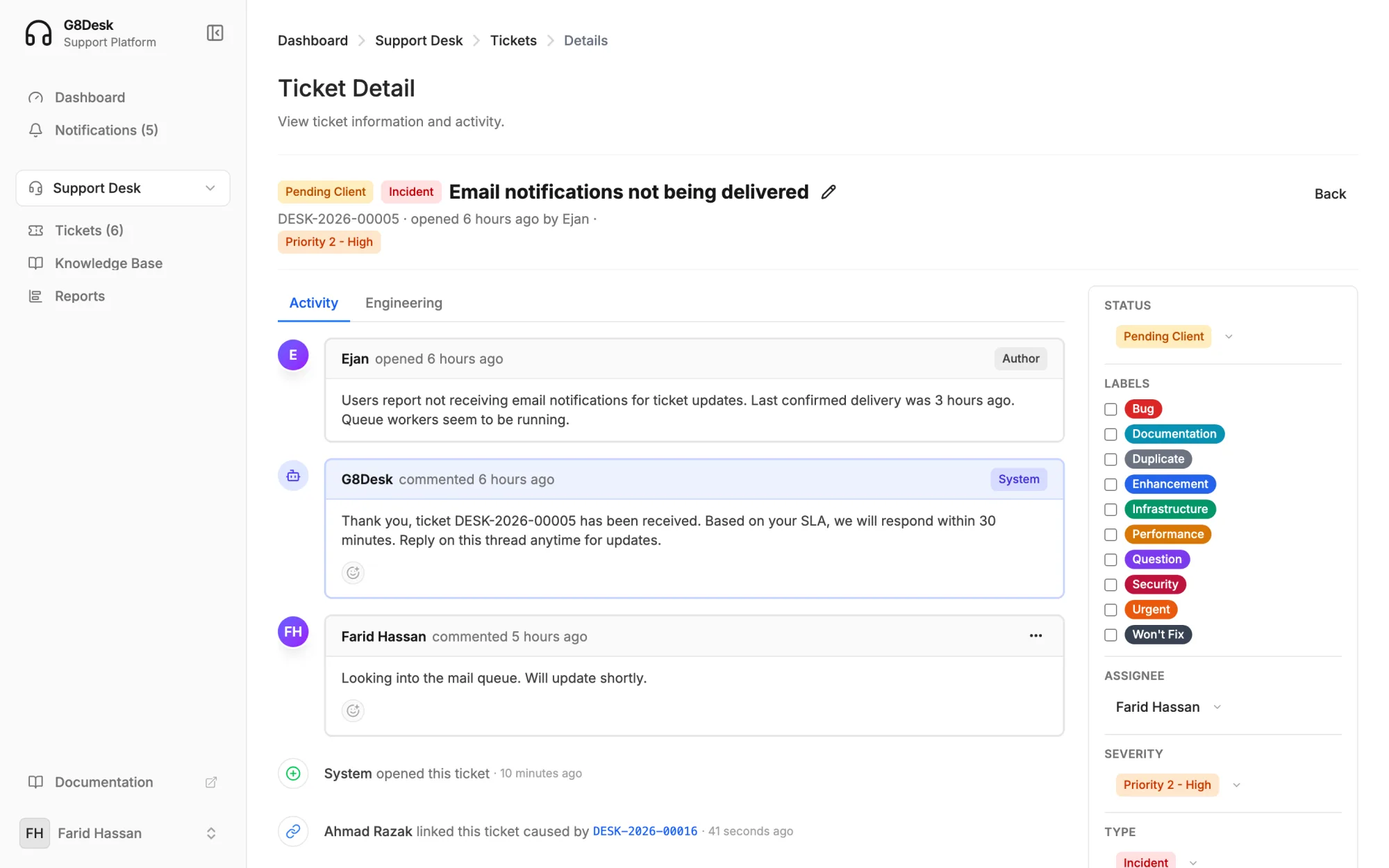
Note: Clients can see the labels on their own tickets. Don't use label names you wouldn't want a client to read.
Filtering by label
Use the All Labels filter on the Ticket Board to see every ticket with a given label, across all statuses.
Who manages labels
Ops Admins create, rename, recolour and delete labels from Support Desk › Labels. Support Agents can apply labels but can't change the list. If you need a new label, ask an Ops Admin.
Tips
- Agree on what each label means as a team, so filters and reports stay meaningful.
- Use a few well-chosen labels rather than many overlapping ones.
- Labels complement the ticket type and severity. They don't replace them. Use Problem for a root-cause ticket, not a "root cause" label.