

SLA Compliance Report
- Ops Admin
The SLA Compliance Report shows how well tickets met their SLA targets and how satisfied clients were. Open it from Support Desk › Reports.
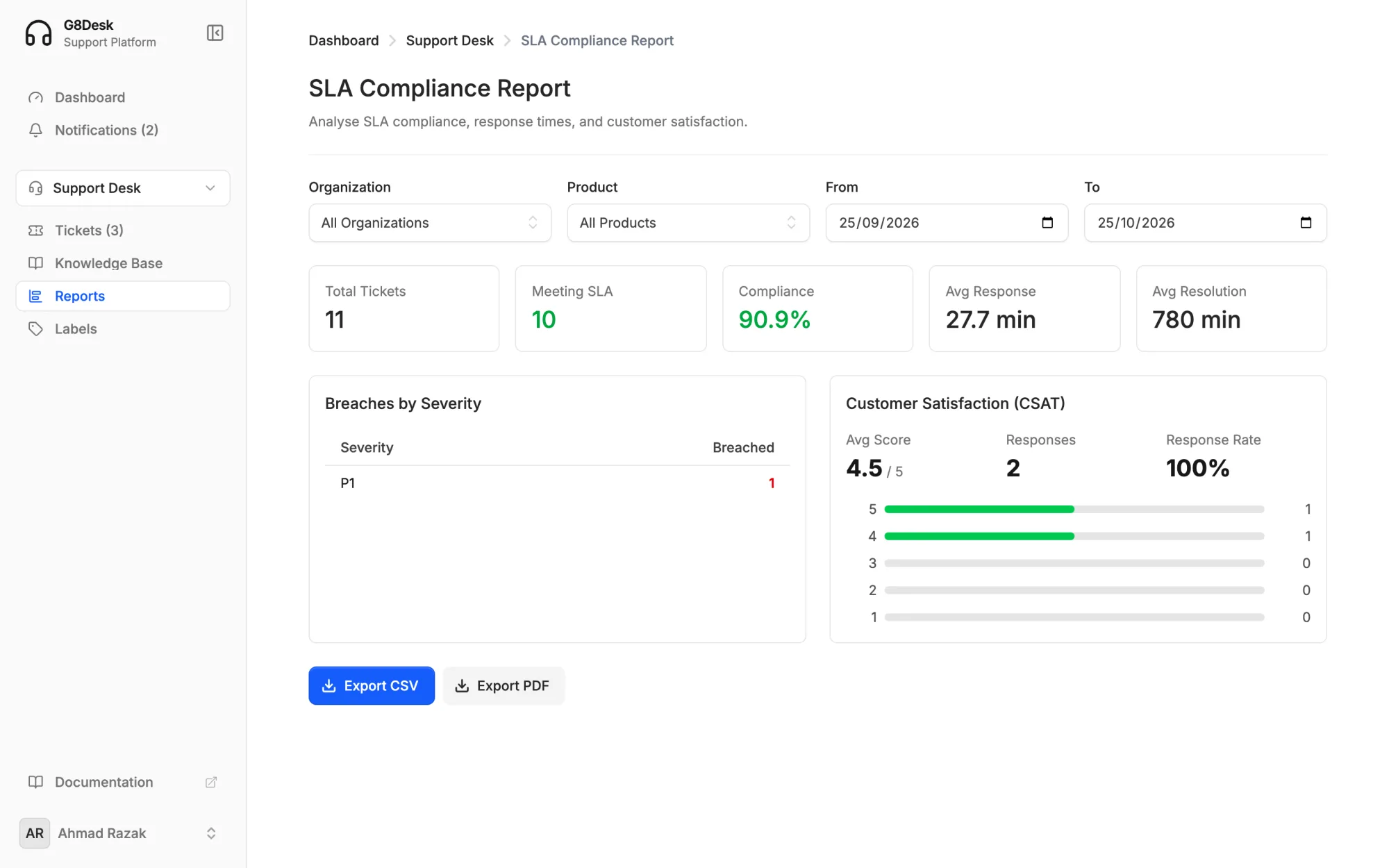
Filters
| Filter | Default |
|---|---|
| Organization | All organisations under your ops organisation |
| Product | All products |
| From / To | The last month, up to today |
The figures cover tickets created within the date range.
The figures
| Figure | How it is worked out |
|---|---|
| Total Tickets | Tickets matching the filters. |
| Meeting SLA | Tickets that breached neither the first-response nor the resolution deadline. |
| Compliance | Meeting SLA as a percentage of total tickets. |
| Avg Response | Average minutes to first response, for tickets that have one. |
| Avg Resolution | Average minutes to resolution, for resolved tickets. |
| Breaches by Severity | Breached tickets per severity. |
| Customer Satisfaction (CSAT) | Average score out of 5, number of responses, response rate against closed tickets, and the spread of scores. |
Response and resolution averages are net times: time the ticket spent pending the client is left out, matching how SLA breaches are detected.
Tip: Read compliance and CSAT together. Fast closes with poor answers lift compliance while CSAT falls.
Exporting
| Button | Output |
|---|---|
| Export CSV | sla-compliance-report.csv, one row per ticket: reference, title, severity, status, organisation, product, net first-response and resolution minutes, whether each deadline was breached, CSAT score, created and resolved times. |
| Export PDF | sla-compliance-report.pdf, a printable version of the report. |
Both use the filters currently on screen.
Note: Support Agents can view this report but cannot export it. Exports need the report export permissions held by Ops Admins.
The monthly client report
Client Admins also receive a monthly summary by email. See Monthly Client Report.