

Change Requests
- Support Agent
- Ops Admin
Change Requests
A change request is a ticket of type Change Request. It holds a planned change and must be approved before work starts.
The change request panel
Change requests show a panel above the activity timeline.
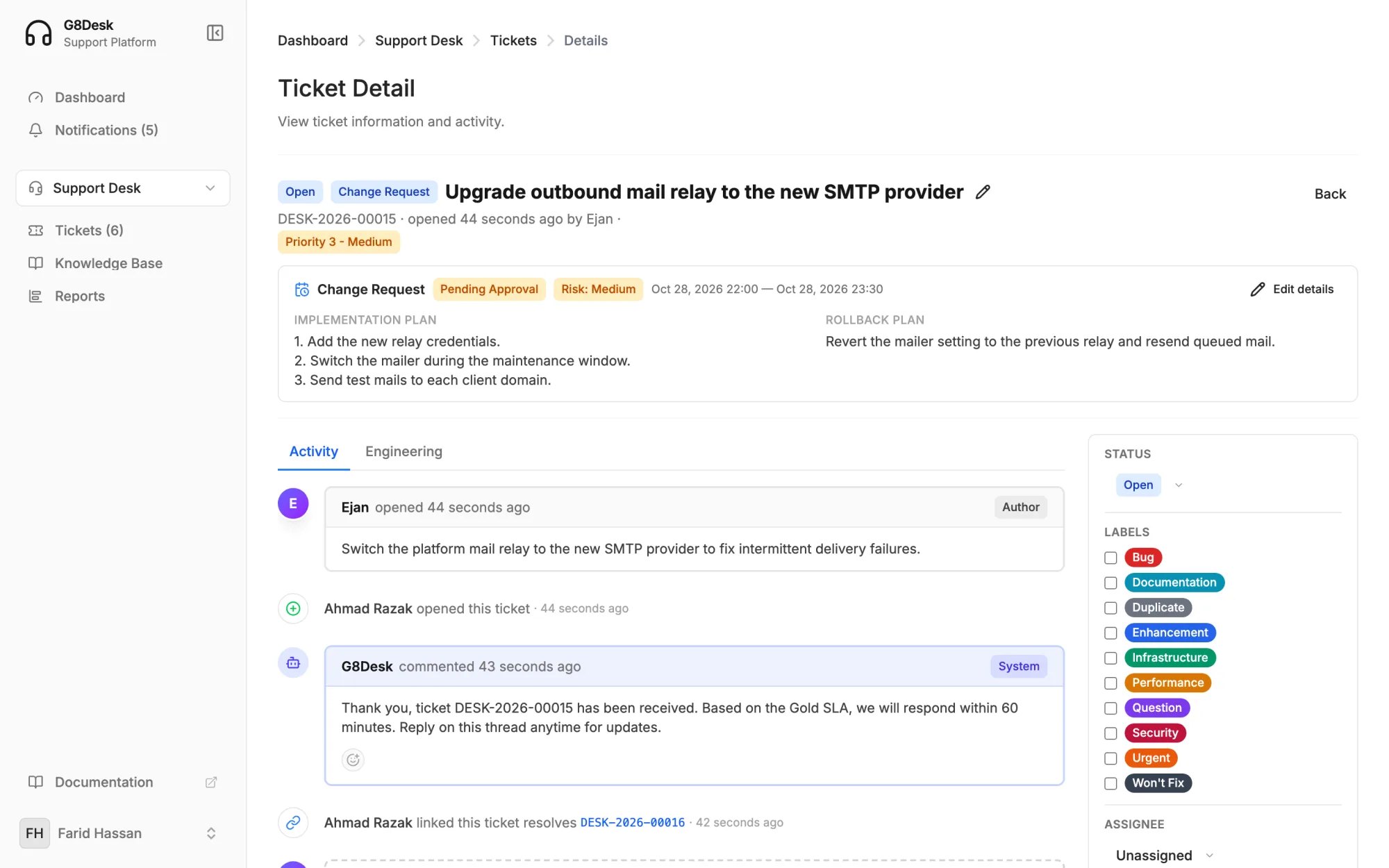
| Part | Meaning |
|---|---|
| Approval badge | Pending Approval, Approved or Rejected |
| Risk | Low, Medium or High |
| Window | The planned start and end of the change |
| Implementation Plan / Rollback Plan | How the change is done and how it is reversed |
| Decision note | Appears after a decision that included a note |
Click Edit details to fill in or update the risk, window and plans. Save details keeps the approval decision as it is.
Note: The risk level and the implementation and rollback plans are internal. The client only sees the change window and the approval decision.
Approval
Ops Admins approve or reject change requests. Support Agents can prepare the details but don't see the approval controls.
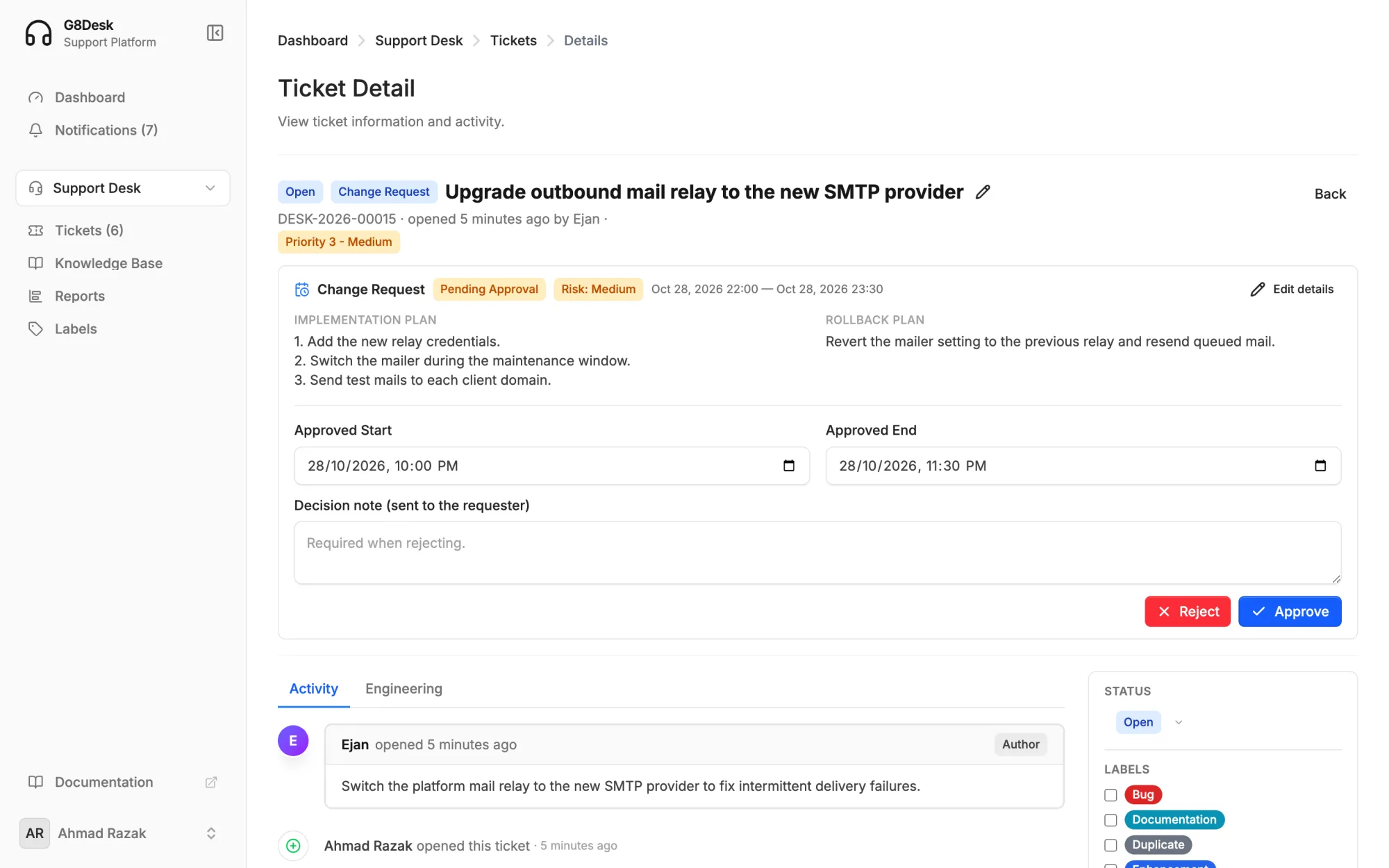
The approver can adjust the window under Approved Start and Approved End. The approved window is the one the client sees.
| Decision | What happens |
|---|---|
| Approve | The badge turns Approved and the ticket can move to In Progress |
| Reject | A note is required. The note is posted to the client as a reply, and the ticket closes automatically |
The requester, the Ops Admins and the agents who cover the organisation are notified either way. The person who made the decision is not.
Note: While a client-facing change request is Pending Approval or Rejected, it can't move from Open to In Progress. You'll see This change request must be approved before work can start.
Note: Approvers can't approve their own change request while another approver covers the client organisation. A sole Ops Admin can, and G8Desk records the decision as a self-decision for audit.
Reclassifying an existing ticket
If a ticket turns out to be a change, set its Type to Change Request in the sidebar. It goes to Pending Approval straight away, and you can then fill in the details with Edit details.