

Managing Products
- Ops Admin
Products are the systems or services you support. Every ticket belongs to a product, and every contract covers one product for one organisation.
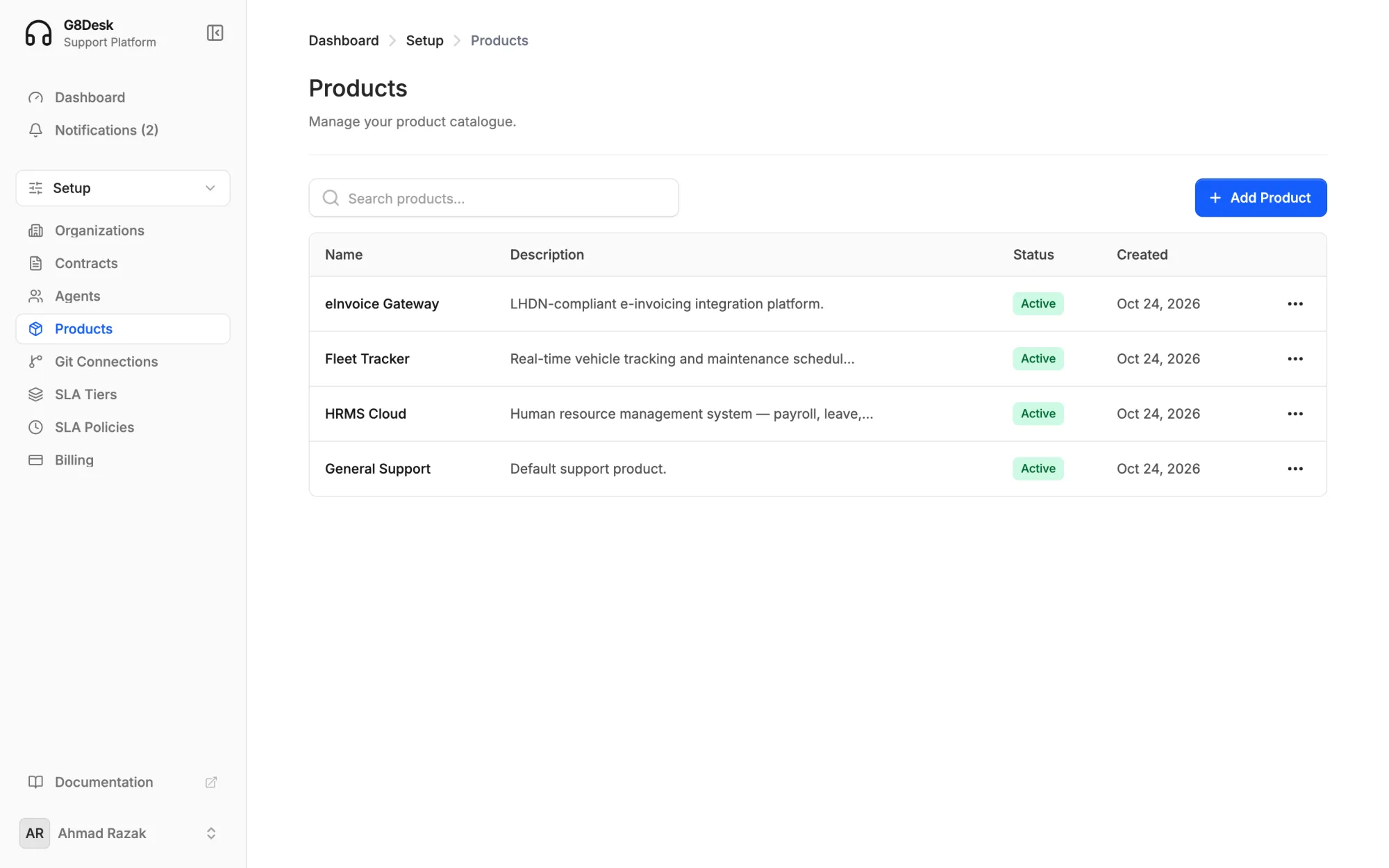
Creating a product
- Go to Setup › Products and click Add Product.
- Enter the name (required) and an optional description.
- Leave Active on unless the product should be hidden.
- Save.
Edit or delete a product from its row menu.
Note: Delete in the row menu acts immediately, with no confirmation prompt.
Where products are used
- Contracts link a product to an organisation and an SLA tier.
- Ticket forms in the Client Portal list only the products the user's organisation holds an active contract for.
- Intake channels can only be created for products with an active contract.
Repositories for engineering issues
When a ticket needs a code fix, ops can draft engineering issues that are pushed to GitHub or GitLab. The product page's Repositories panel decides where they go.
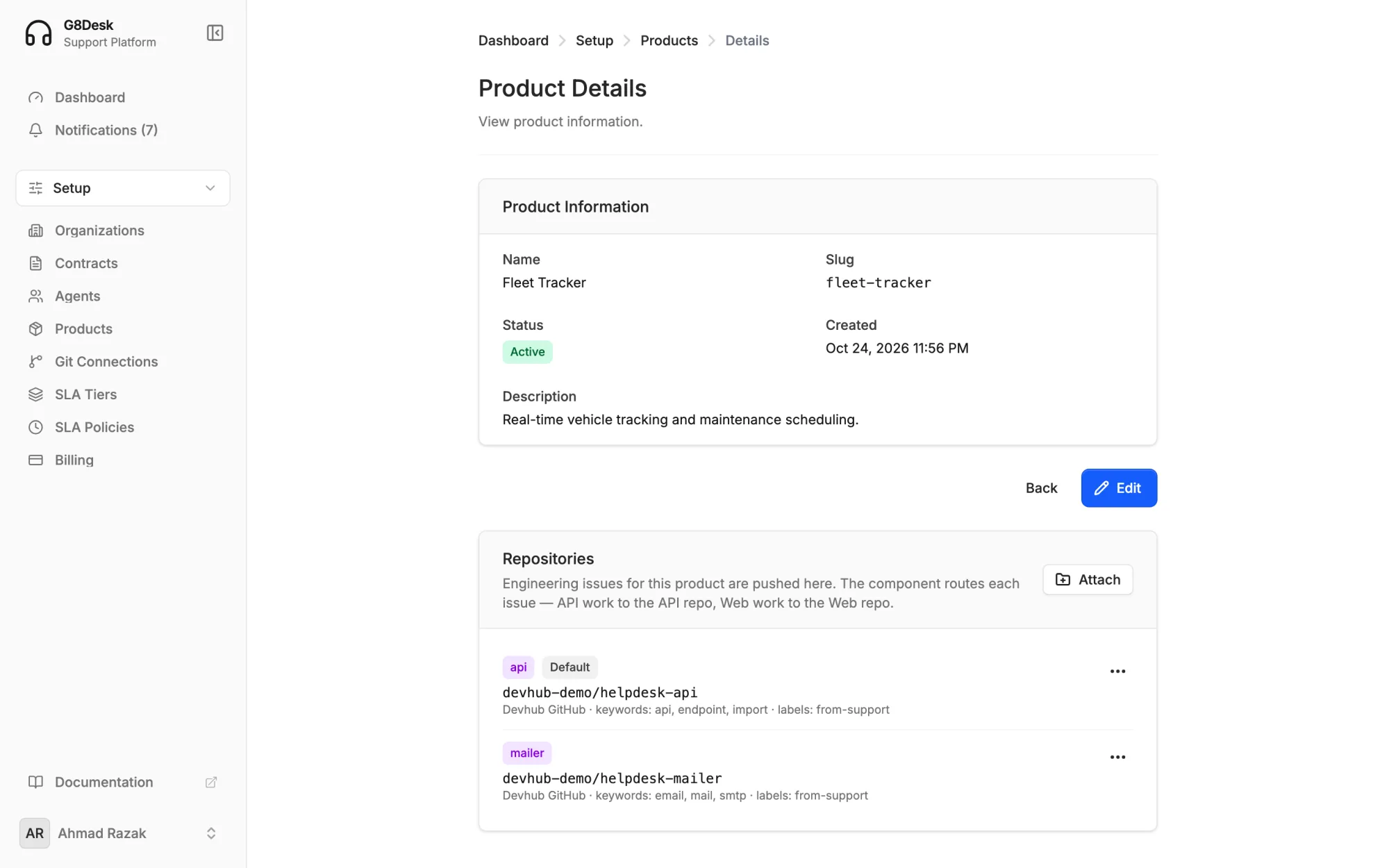
To attach a repository you first need a git connection. Then:
- Open the product and click Attach in Repositories.
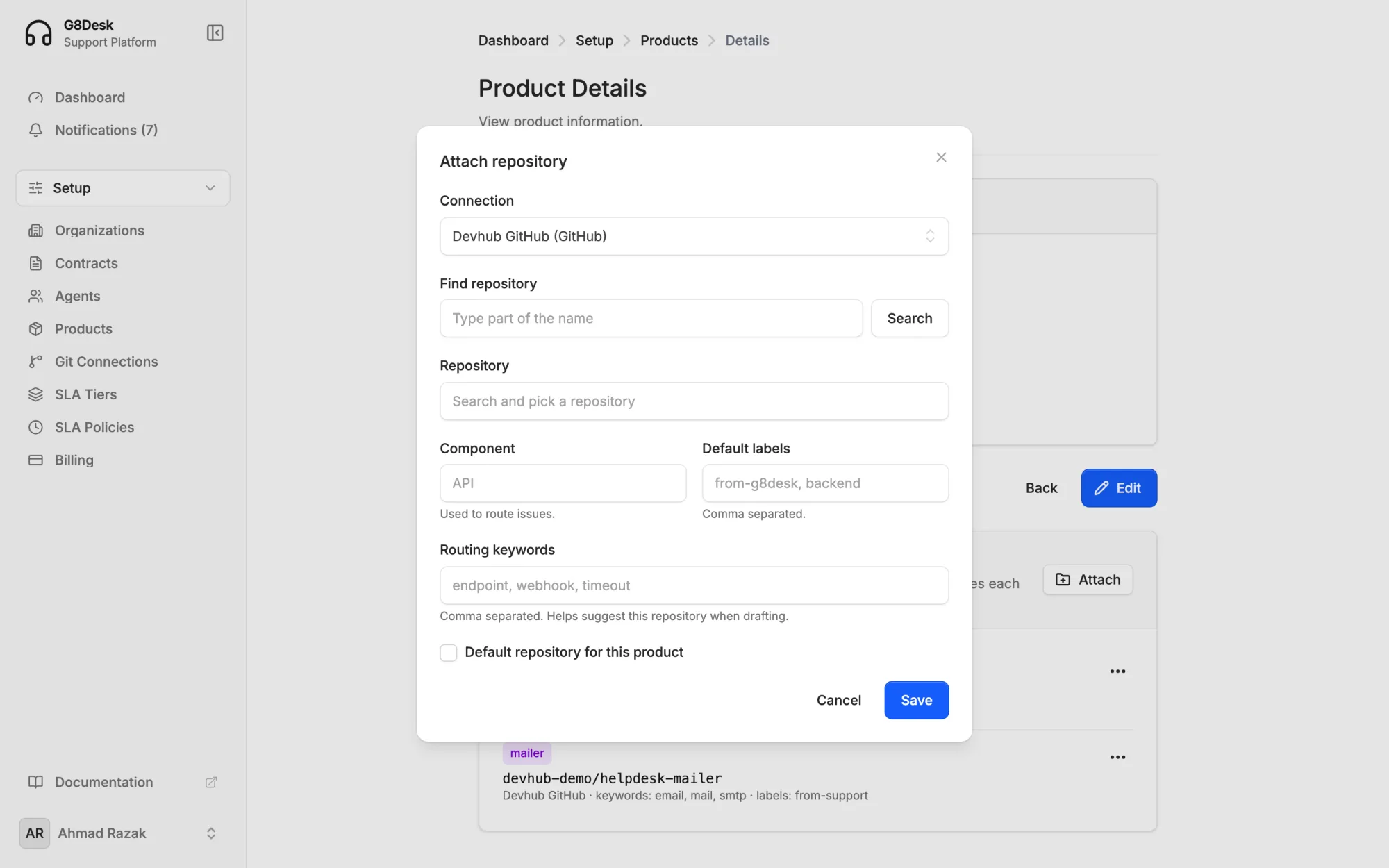
- Choose the Connection, type part of the repository name and click Search, then pick the repository.
- Set the Component (for example
API). Issues are routed to a repository by component. - Optionally add Default labels and Routing keywords (comma separated). Keywords help suggest this repository while drafting.
- Tick Default repository for this product if it should be the fallback.
- Click Save.
Note: Public repositories are marked Public — push blocked. Client content is never pushed to a public repository.
Use a repository's row menu to Edit or Detach it. Detaching leaves issues that were already pushed in place on the provider.