

Major Incidents
- Support Agent
- Ops Admin
Major Incidents
A major incident (MI) is an incident with critical, wide impact that needs everyone's attention at once. Ops Admins declare and stand down major incidents. Support Agents work on them like any other ticket and can download the MI report.
What declaring does
When an Ops Admin declares a major incident:
- the severity is raised to P1 - Critical
- the ticket gets a red Major Incident badge and a Major Incident in progress banner showing who declared it and when
- the Ops Admins and agents who cover the organisation, and the client organisation's admins, are notified. The person who declared it is not
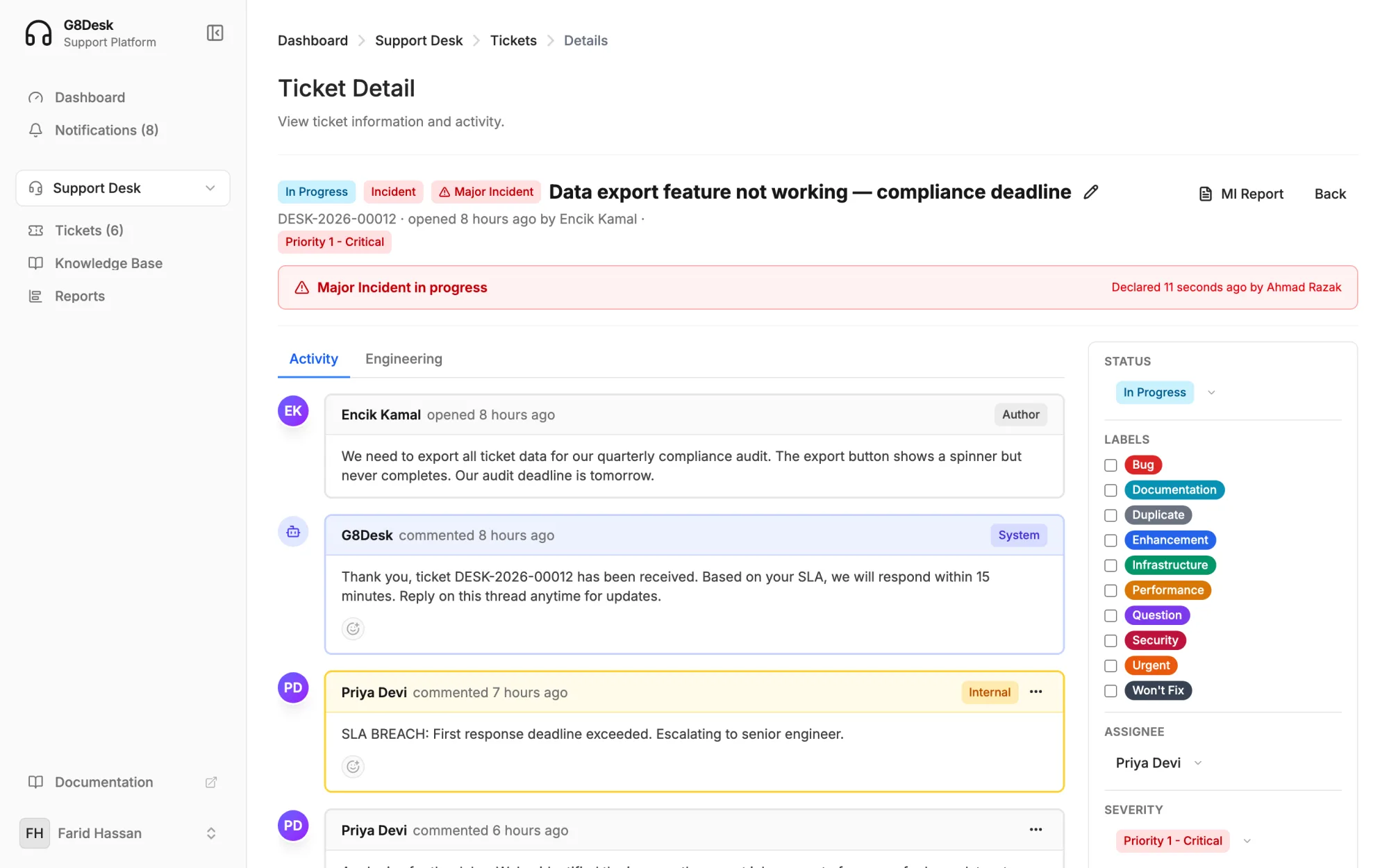
Only open, client-facing Incident tickets can be declared. Problems, change requests, internal work items, and resolved or closed tickets can't.
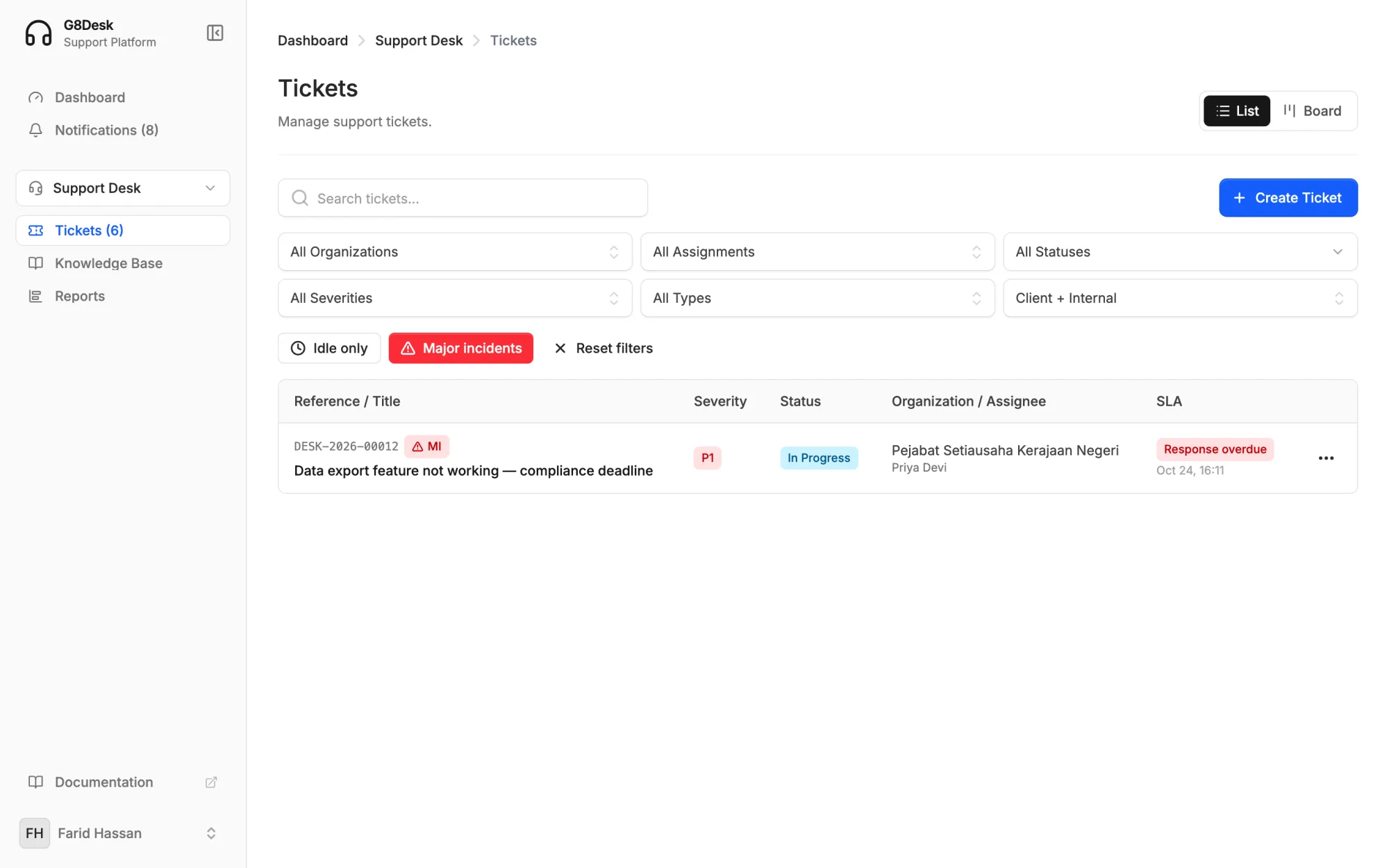
Finding major incidents
Click Major incidents in the ticket list or board filters. Major incidents carry an MI badge in the list and on board cards.
Standing down
When the incident is under control, an Ops Admin stands it down. The badge and banner disappear, but the severity stays at P1 until someone changes it. The declaration period is kept in the ticket's history, and a ticket can be declared again later.
The MI report
Click MI Report in the ticket header to download a PDF post-incident report. The button stays available after the incident is stood down.
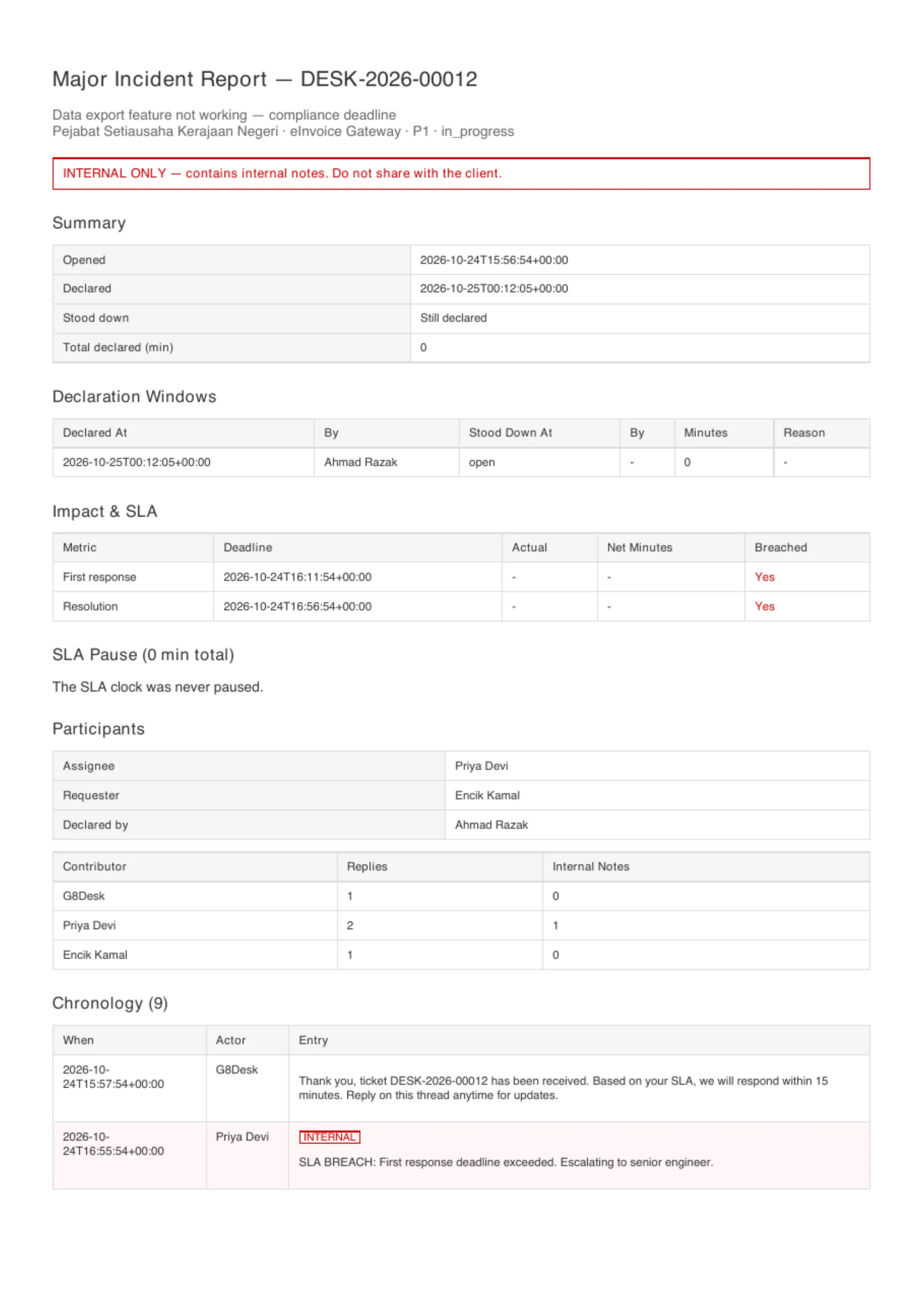
| Section | Contents |
|---|---|
| Summary | When the ticket was opened, declared and stood down, and the total minutes declared |
| Declaration Windows | Each declaration with who declared it, who stood it down, the duration and the reason |
| Impact & SLA | Response and resolution deadlines, actual times, net minutes and whether each breached |
| SLA Pause | Every period the clock was paused |
| Participants | Assignee, requester, declarer, and each contributor's reply and internal-note counts |
| Chronology | Every reply, note and event in order, with internal notes marked INTERNAL |
Note: The MI report includes internal notes and is marked INTERNAL ONLY. Don't send it to the client. Write a separate client-facing summary instead.