

Ticket Types and Problems
- Support Agent
- Ops Admin
Ticket Types and Problems
G8Desk classifies every ticket with an ITIL type. The type is a label on the ticket. It doesn't change where the ticket lives or how the SLA works.
The three types
| Type | Badge | Use it for |
|---|---|---|
| Incident | Red | An unplanned interruption or degradation of a service. This is the default |
| Problem | Amber | The underlying cause of one or more incidents, tracked for root cause analysis |
| Change Request | Blue | A requested change to a product or service, which needs approval before work starts |
Tickets raised in the client portal always start as Incident. You choose the type when you create a ticket, and you can change it at any time from the Type field in the ticket sidebar. Each change is recorded on the timeline.
Working with problems
When several incidents share a cause, open a Problem ticket for the cause and link the incidents to it with Caused by. See Linking Tickets.
Root cause analysis (RCA)
Problem tickets get an RCA tab.
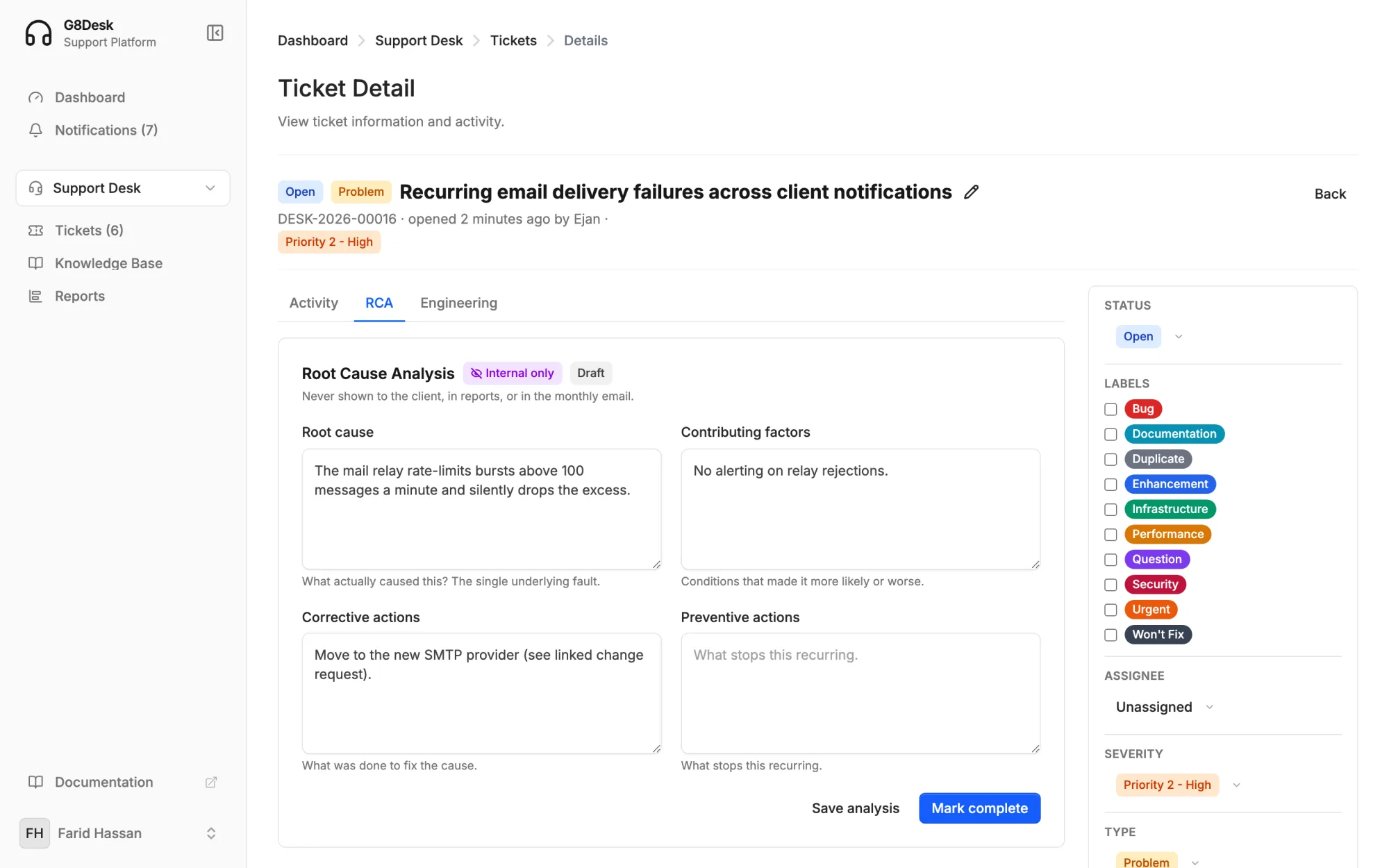
| Field | What to record |
|---|---|
| Root cause | The single underlying fault |
| Contributing factors | Conditions that made it more likely or worse |
| Corrective actions | What was done to fix the cause |
| Preventive actions | What stops it recurring |
- Save analysis saves a draft. The badge reads Draft.
- Mark complete finalises the analysis. You must fill in Root cause first. Once complete, the tab shows a green Complete badge.
Note: The RCA is internal. It is never shown to the client, in reports or in the monthly email.
Note: Some client organisations require a completed RCA before a problem can be resolved. If so, moving the problem to Resolved fails with This problem cannot be resolved until its root cause analysis is marked complete. An Ops Admin controls this setting.
Internal work items
Any type can also be an internal work item: a team-only task with no SLA that the client never sees. See Creating Tickets.