

AI Assistant (MCP Connector)
- Ops Admin
G8Desk can connect to AI assistants such as Claude so you can work on tickets in plain language — "list open P1 tickets for Acme", "reply to DESK-2026-00042", "assign it to Farid". It uses the Model Context Protocol (MCP), an open standard for connecting AI tools to applications.
The assistant follows the same rules as the Ops Dashboard. It sees only the client organisations you cover, and it can do only what your role permits on the web.
Connecting Claude
You need a Claude account and your G8Desk ops login.
-
In Claude, open Settings › Connectors › Add custom connector.
-
Fill in:
Field Value Name G8Desk(any label)Remote MCP server URL https://g8desk.com/mcp/ops, orhttps://<your G8Desk address>/mcp/opson-premiseOAuth Client ID / Secret Leave blank -
Click Add. Claude opens the G8Desk authorisation screen.
-
Sign in with your ops account and click Authorize.
Note: Leave the OAuth fields blank. Claude registers itself automatically and signs in with OAuth and PKCE, so there is no client secret to manage.
What the assistant can do
| Area | Tools |
|---|---|
| Tickets | list-tickets, get-ticket, create-ticket, reply-to-ticket, update-reply, react-to-reply, transition-ticket-status, assign-ticket, delete-ticket, restore-ticket |
| Change requests | decide-change-requests — approve or reject one or many (up to 50) |
| Organisations and people | list-organizations, get-organization, list-organization-members, get-organization-member, list-agents, get-agent, find-user, list-pending-invitations, resend-invitation, revoke-invitation |
| Products and SLA | list-products, get-sla-policy |
| Reports | ticket-report (monthly report for one organisation), major-incident-report (internal post-incident report) |
| Diagnostics | whoami, get-ticket-audit, diagnose-ticket-notifications, system-health |
| Engineering | list-product-repositories, draft-git-issues, submit-git-handoff, request-fix-verification |
Three ready-made prompts are also available: monthly-client-report, triage-p1-backlog and draft-reply-from-internal-notes.
Tickets are identified by reference (DESK-YYYY-NNNNN). Moving a ticket to pending client pauses its SLA clock, exactly as in the dashboard.
Note: Approving an engineering handoff is deliberately web-only. The assistant can draft and submit a handoff, but another Ops Admin must approve it on the ticket.
Access and safety
- Ops only. Client users cannot use these tools, even with a valid token.
- Your scope only. Ops Admins see every client organisation under their ops organisation; Support Agents see only their assigned ones.
- Same permissions as the web. Each tool checks the same permission as the matching dashboard action, and refuses with a
permission_deniederror otherwise. - Personal data scrubbed. Free-text fields such as ticket titles, descriptions and replies are scrubbed of personal data before being returned to the assistant.
- Internal notes stay internal. The assistant can read internal notes (marked as internal) to help you, but never sends them to clients.
Personal access tokens
For tools that cannot use the sign-in flow — such as Claude Code — use a personal access token.
- Go to
/ops/settings/mcp-tokenson your G8Desk address. Any ops user (Ops Admin or Support Agent) can open it. - Enter a Token name, for example
claude-code-laptop, and click Generate Token. - Copy the token straight away — it is shown only once. The page also shows a ready-made
claude mcp addcommand for Claude Code.
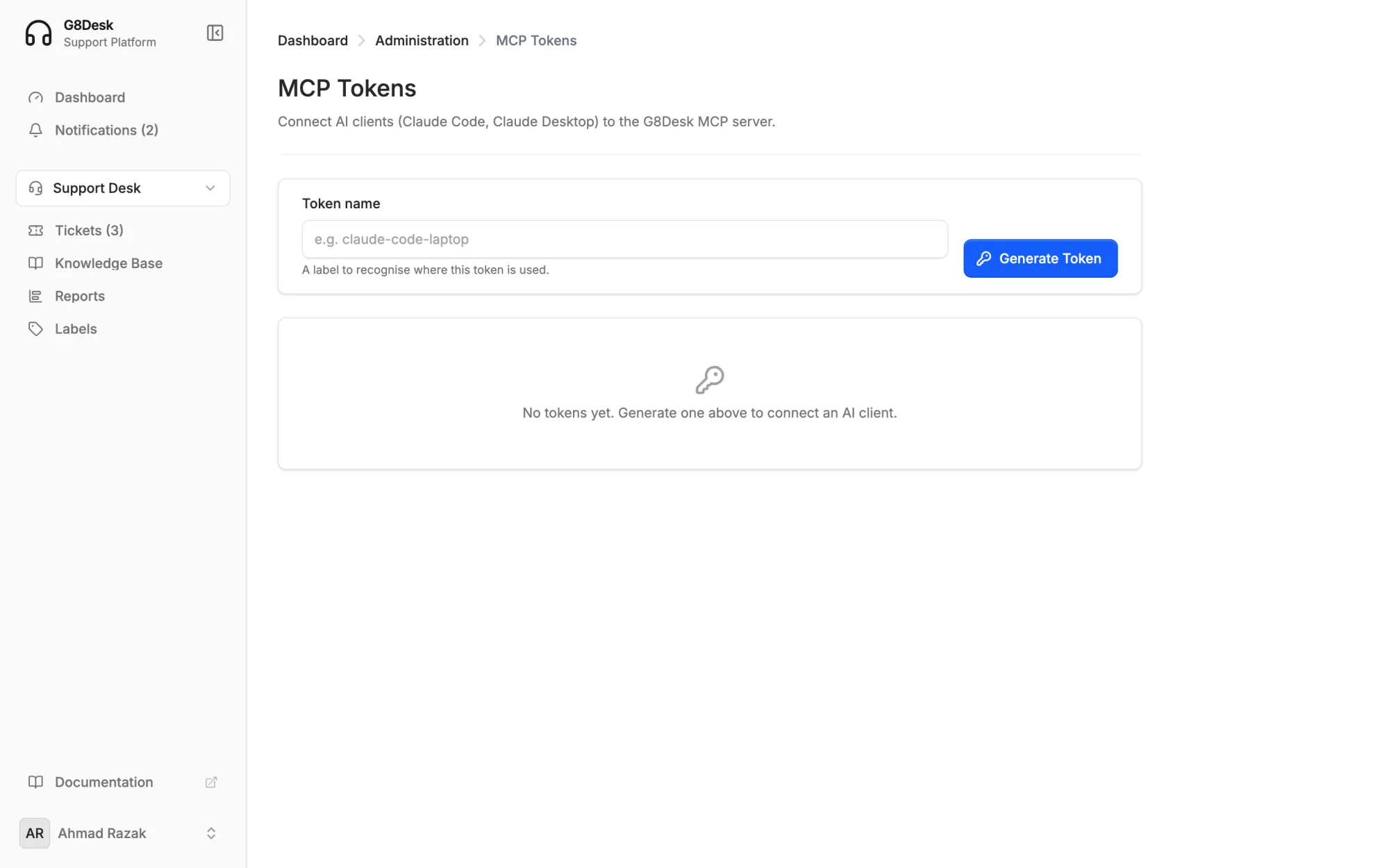
Use the token as a Bearer token against the MCP server URL. It carries your own access and scope. The list shows each token's name, when it was last used and when it was created.
Tip: Create one token per device or tool, named so you can recognise it later.
On an on-premise installation, a server administrator can also issue a token with php artisan mcp:token <email>.
Troubleshooting
| Problem | What to do |
|---|---|
| The authorisation screen asks you to sign in | Sign in with your ops account, then click Authorize. |
| "Only ops users may use this tool" | Your account is not an ops user. Ask an Ops Admin. |
| A ticket or organisation is missing | It is outside your assigned organisations. An Ops Admin can widen your coverage. |
permission_denied |
Your role does not allow that action on the web either. |
| The connector will not connect | Share the error with your platform administrator. |