

Agent Management
- Ops Admin
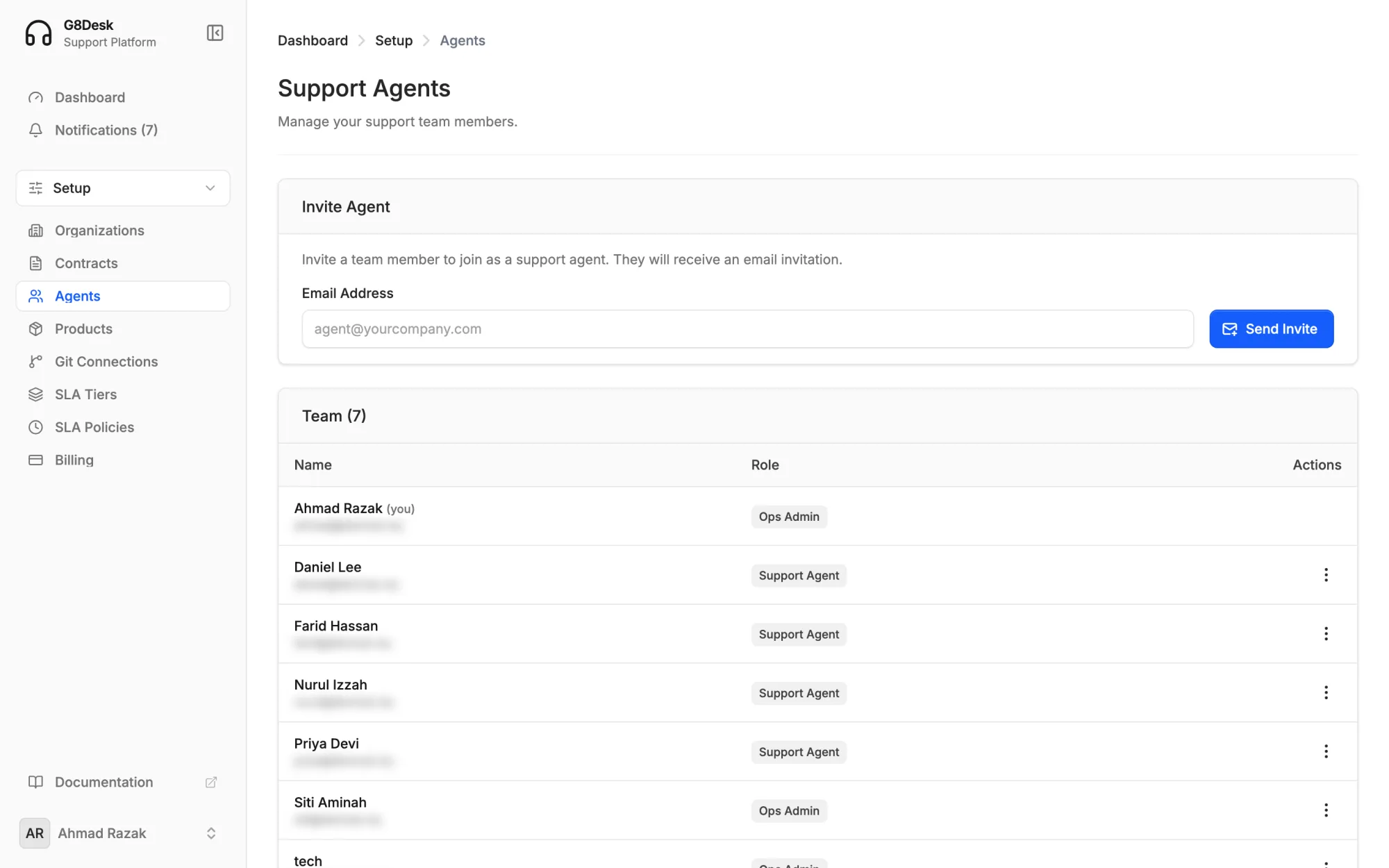
Your support team are the Ops Admins and Support Agents in your ops organisation. Manage them from Setup › Agents, which only Ops Admins can open.
Roles
| Role | What they can do |
|---|---|
| Ops Admin | Everything in this guide: organisations, products, SLA, contracts, agents, git connections, analytics and reports. Covers every client organisation. |
| Support Agent | Handle tickets (view, reply, assign, change status, create), read the knowledge base, view the SLA report and analytics, and draft engineering issues. Sees only the client organisations they are assigned to. |
Inviting an agent
- Under Invite Agent, enter the person's email address.
- Click Send Invite.
The person joins as a Support Agent when they accept. Pending invitations are listed with their expiry and can be cancelled from the row menu.
Note: On the SaaS edition, invitations count against your plan's seat limit. If the limit is reached the invite is refused with a message.
Choosing which organisations an agent covers
- Open the agent's row menu and choose Manage Organisations.
- Tick the client organisations the agent should cover.
- Click Save.
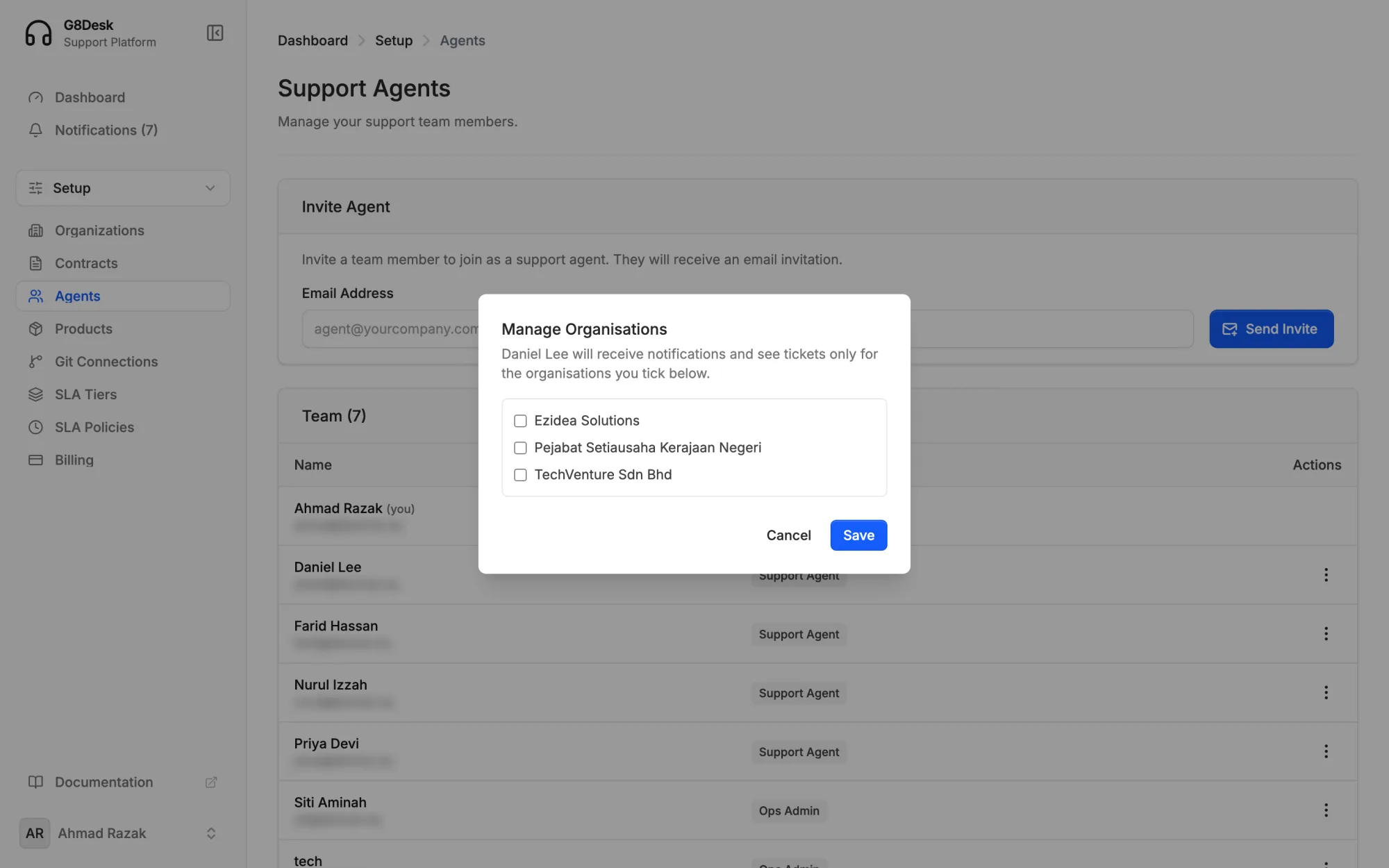
The agent then receives notifications for, and sees tickets from, only the ticked organisations. You can make the same change from an organisation's Assigned Agents panel.
Tip: Tickets can only be assigned to agents who cover the ticket's organisation, so assign coverage before you expect someone to pick up work.
Changing a role
From the row menu:
- Make Ops Admin promotes a Support Agent.
- Make Support Agent changes an Ops Admin back.
You cannot change your own role.
Removing an agent
Choose Remove on a Support Agent's row. They lose their agent role but stay in your ops organisation, listed under Deactivated. Ops Admins cannot be removed this way — change them to Support Agent first.
From the Deactivated list you can:
| Action | Result |
|---|---|
| Reactivate as Support Agent / Reactivate as Ops Admin | Restores access with the chosen role. |
| Remove from Organization | Removes them from your ops organisation. They need a new invitation to return. Ticket history is kept. |